How to Tell if an Image is AI Generated: The Complete Guide (2026)
Learn how to detect AI generated images with our free guide. From spotting visual artifacts in Midjourney images to using detection tools — spot AI images every time.
Recommended PicFlow tool
Need to optimize images while reading?
Use PicFlow tools to compress, resize, convert, or inspect images directly from your browser.
Use PicFlow Image Compressor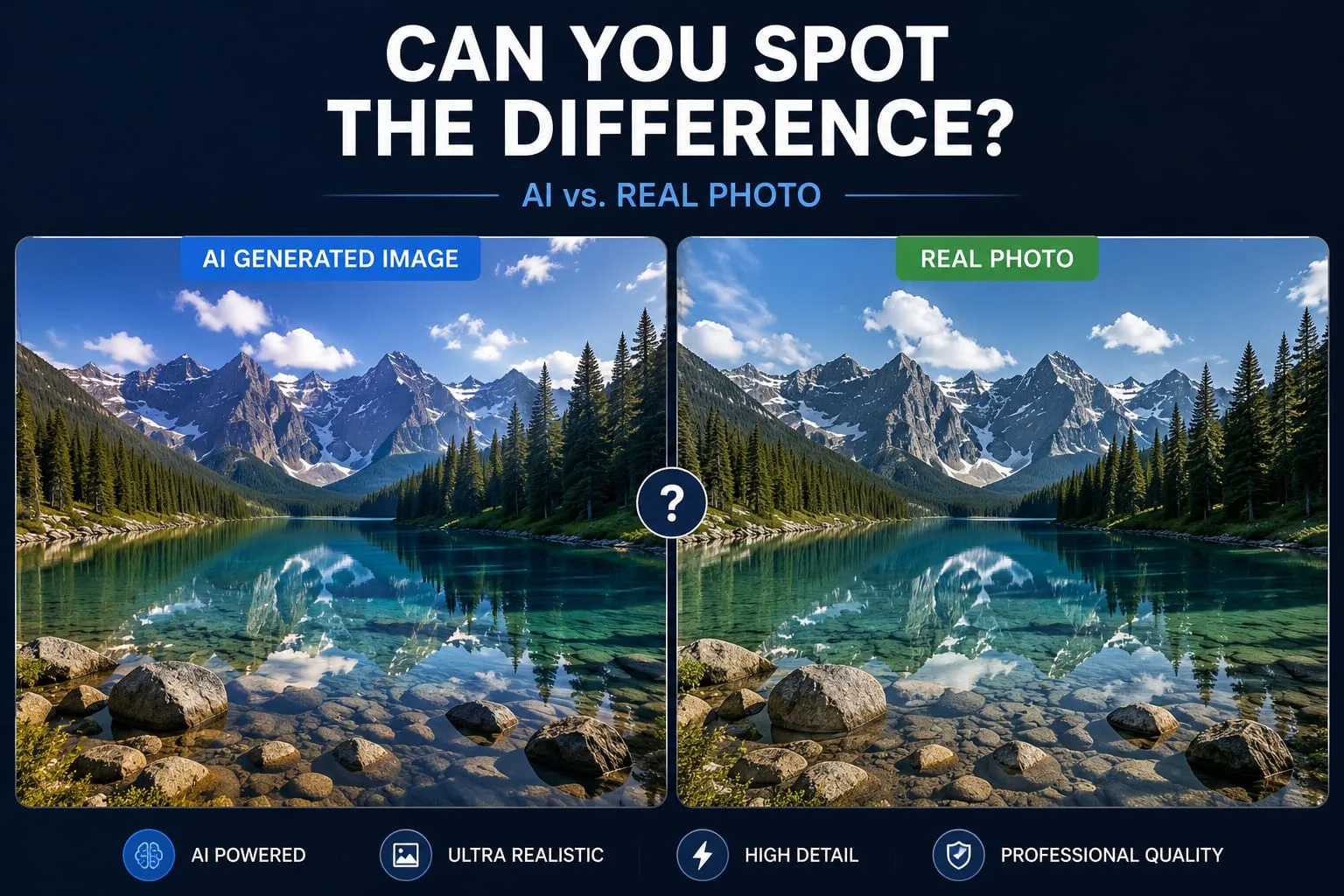
We’ve officially entered the "Deepfake Era," where the line between reality and digital fabrication is thinner than a pixel.
Whether you’re trying to verify a viral news photo, check the authenticity of a product listing, or just keep your detective hat on while browsing the web, knowing how to detect AI generated images is now a fundamental digital literacy skill.
The Rise of Synthetic Media: Why Detecting AI Images Matters in 2026
Why should you care if an image is real or prompted into existence? In 2026, the stakes are higher than ever. Synthetic media isn't just about fun AI art; it’s being used to spread political misinformation, fuel financial scams, and create non-consensual deepfakes.
For businesses, the threat is equally real. Stock photo sites are being flooded with AI content, and e-commerce brands risk losing consumer trust if they use AI-generated imagery without disclosure.
Top 5 Red Flags: How to Spot AI-Generated Images with the Naked Eye
1. The Anatomy of an Algorithm (Hands and Eyes)
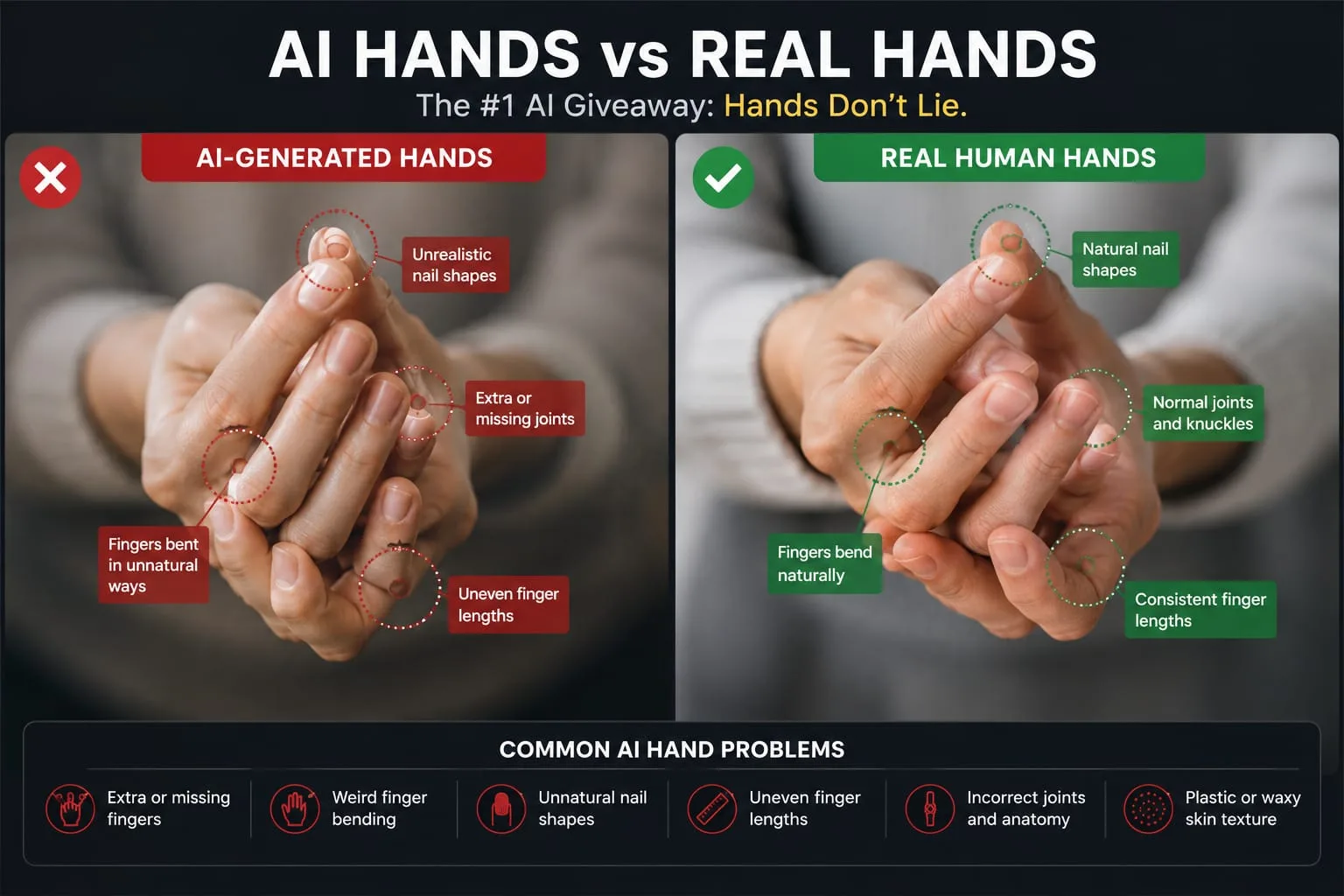
- The Finger Count: Look for six fingers or merged fingers.
- The Joints: Watch for unnatural bending or missing knuckles.
- The Thumb Placement: AI often places thumbs incorrectly.
- The Pupils: Reflections often don't match between eyes.
- The Iris Texture: Real irises have complex textures while AI often creates flat gradients.
2. Lighting Anomalies and Shadow Physics
Real-world light follows physics. AI-generated lighting often prioritizes aesthetics over physical consistency.
- Objects may not cast shadows properly.
- Lighting direction may conflict between subject and background.
3. Weird Textures and the Plastic Look
AI-generated faces often appear over-smoothed and unnaturally perfect.
- Missing Pores: Skin may resemble plastic.
- Hair Logic: Hair may look painted or repetitive.
4. Semantic Nonsense in the Background
Backgrounds are often where AI completely breaks down.
- Merging objects
- Distorted distant humans
- Random warped structures
5. Garbled Text and Signage
Text remains one of the strongest AI giveaways.
If a stop sign says “STPPO” or a product label becomes gibberish when zoomed in, it’s likely AI-generated.
The Best AI Image Detectors: A Comparative Review
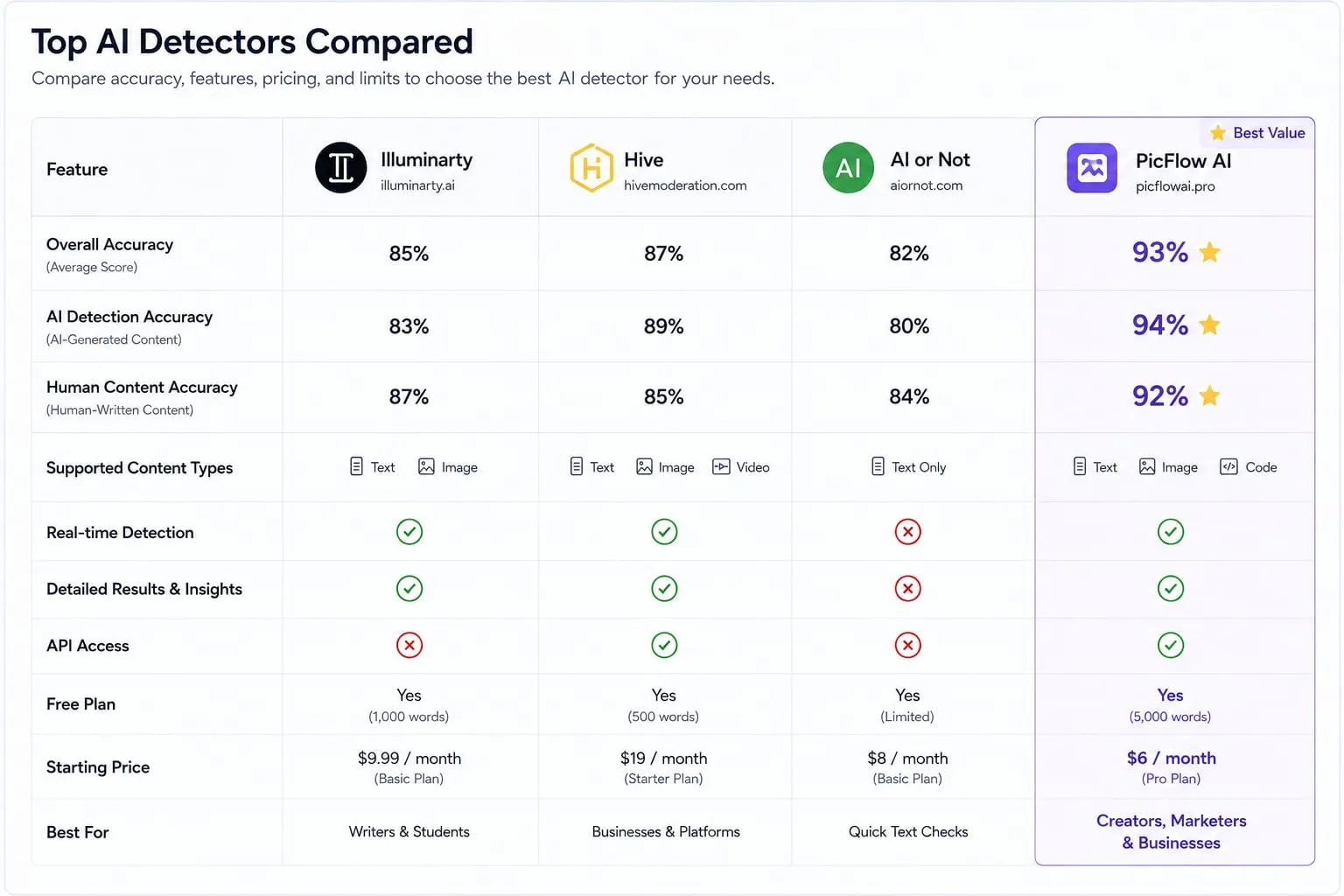
Illuminarty — Best known for its simple interface and beginner-friendly AI image analysis. Estimated detection accuracy ranges between 75% and 85%. Offers both free and premium plans.
Hive Moderator — Enterprise-grade AI detection system with some of the highest estimated accuracy rates, typically between 90% and 95%. Mainly focused on professional and API-based usage.
AI or Not — Specialized in deepfake and AI-generated image detection, including Midjourney and DALL-E outputs. Estimated accuracy ranges from 85% to 90%. Available through subscription plans.
PicFlow AI — Integrated image verification and analysis tools designed for visual inspection and AI detection workflows. Includes free tools and image analysis utilities.
How AI Detection Tools Work
Every AI model leaves behind a mathematical fingerprint.
Detection tools analyze:
- Pixel distributions
- Noise patterns
- Color correlations
- Edge artifacts
- Frequency signatures
These invisible clues help determine whether an image likely came from a camera or an AI model.
Step-by-Step: Using PicFlow AI to Verify Image Authenticity
- Zoom for Evidence: Inspect hands, eyes, and text closely.
- Check Compression: Heavy compression can hide AI artifacts.
- Convert Formats: WebP files may hide certain patterns.
- Run Analysis: Use AI probability detectors.
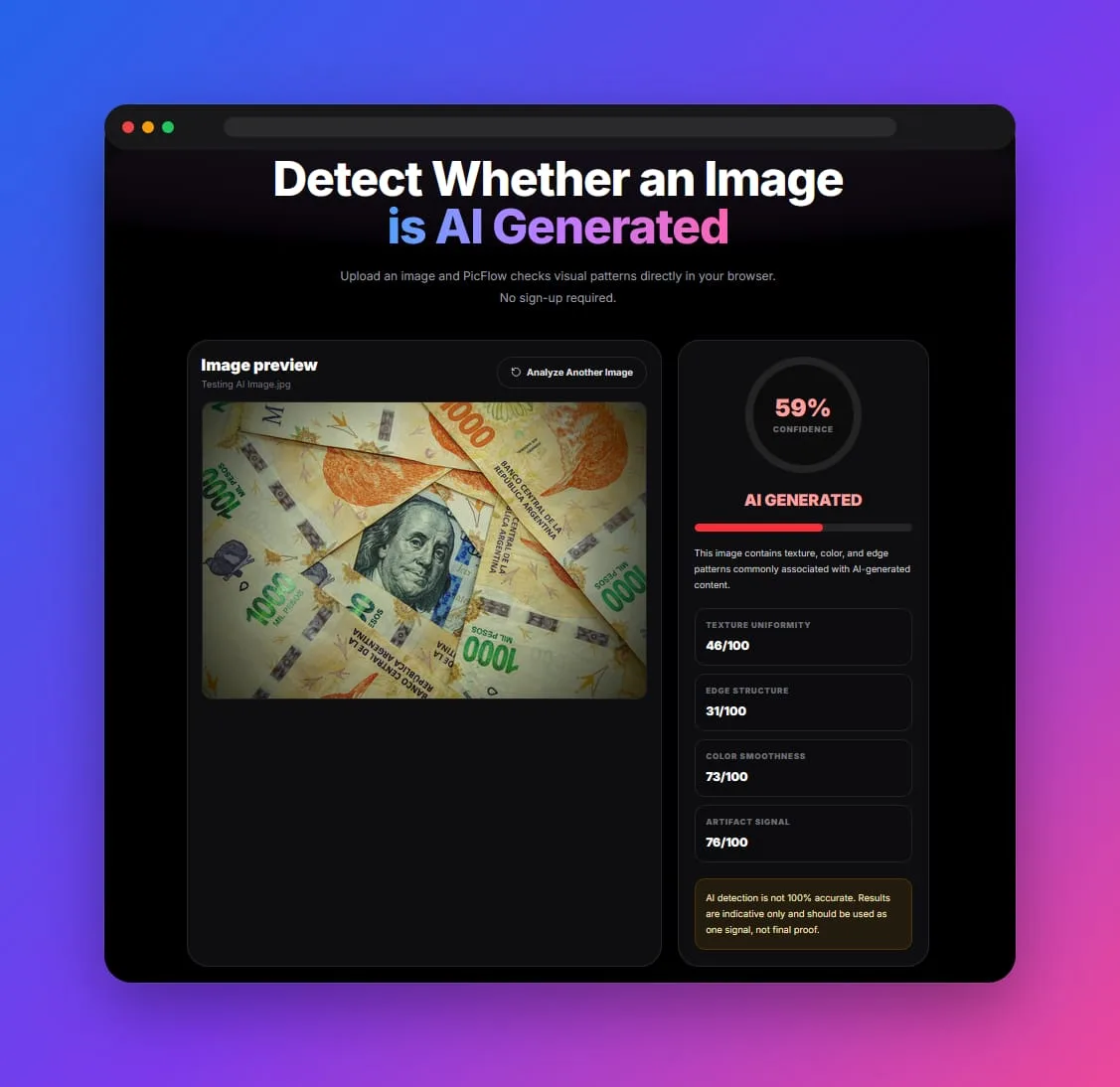
Deepfake images are designed specifically to impersonate real humans.
Look carefully at:
- Jawline blending
- Earring mismatches
- Glasses distortion
- Hairline inconsistencies
- Blurred neck transitions
The Future of Image Verification
We are currently in an arms race between AI generation and AI detection.
Future verification standards like C2PA aim to digitally sign authentic camera-captured photos directly at creation time.
Until then, skepticism and proper tools remain your best defense.
FAQ
How accurate are AI image detectors?
Most modern AI detectors achieve between 85% and 95% accuracy under ideal conditions.
Can I detect Midjourney or DALL-E images?
Yes. Many modern detectors are specifically trained on Midjourney and DALL-E outputs.
Is there a free AI image detector?
Yes. Several free tools exist online, including basic versions of professional detectors.
What are the biggest signs of AI-generated photos?
Hands, eyes, garbled text, unrealistic skin, and inconsistent lighting remain the biggest indicators.
Can AI-generated images be detected 100% of the time?
No. Modern AI models are improving rapidly, making detection increasingly difficult.
Frequently asked questions
What is the main takeaway from How to Tell if an Image is AI Generated: The Complete Guide (2026)?
The guide explains practical image optimization steps that can help improve file size, loading speed, visual quality, and publishing workflows.
Can I use PicFlow tools while following this guide?
Yes. PicFlow includes browser-based tools for compression, resizing, conversion, metadata checks, background removal, and other image workflows.
Does image optimization help SEO?
Yes. Smaller, correctly sized images can improve page speed and Core Web Vitals, which supports better user experience and search performance.
Which image format should I use for websites?
WebP and AVIF are often efficient for websites, while JPG is widely compatible for photos and PNG is useful when transparency is needed.
Does PicFlow upload my images?
PicFlow is built around privacy-first browser workflows where supported, with processing handled for the action you request.